Leaving Upwork: A 90-Day Plan to Go Direct
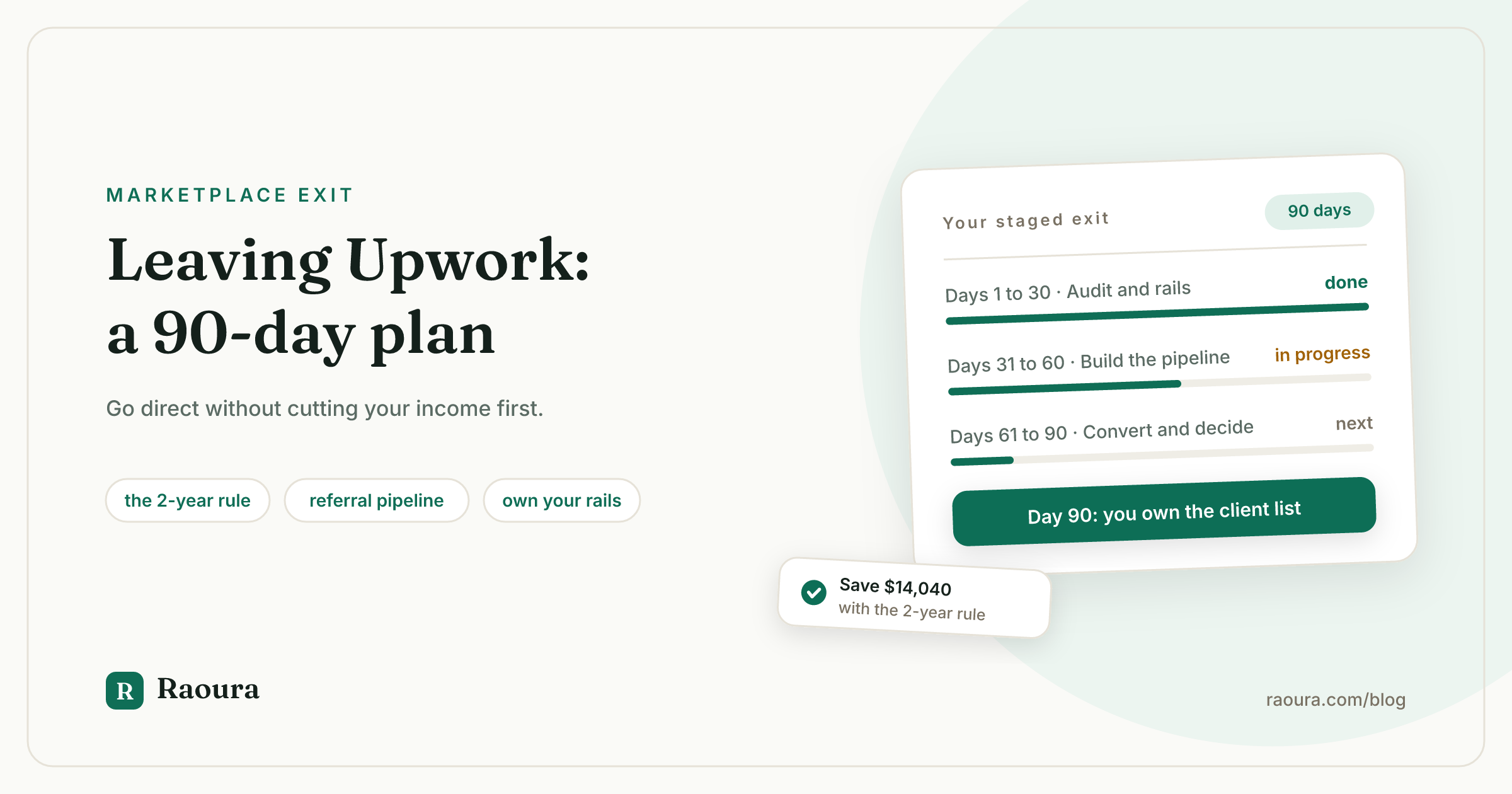
Here is what we found when we searched "leaving Upwork" in July 2026: the most-shared personal quit story dates from 2017, the freshest strategy piece on page one argues you should stay (and sells an ebook), and Upwork's own help pages explain how to click Close Account and nothing else. Nobody ranking for this query gives you an actual plan with dates on it.
This article is that plan. It assumes you are a solo freelancer earning real money on Upwork, you are tired of the fees, the Connects arms race, or the feeling that your business lives inside someone else's algorithm, and you want out without torching your income. It is a 90-day staged exit, not a rage-quit. Each phase has concrete outputs, every number links to a primary source, and the legal and fee mechanics of taking clients with you get their own linked deep dives so this piece can stay focused on the sequence.
One disclosure up front: this is the Raoura blog. Raoura is our product, and it shows up once, near the end, in the section about replacing Upwork's rails. Everything before that stands on its own.
Should you leave Upwork in 2026?#
If Upwork supplies more than half your income, do not close your account this week: run the staged 90-day exit instead, because the platform's own Q1 2026 report shows an ecosystem that is shrinking slowly (784,000 active clients, down 3% in a year), not one collapsing overnight.
The case for leaving is mostly math and control. Upwork's freelancer service fee now ranges from 0% to 15% per contract, set by Upwork per contract and fixed once work begins. You pay to apply through Connects, you wait for your money (for hourly contracts, Upwork says you are paid about 10 days after the weekly billing period ends), and the all-in cost of a full Upwork year lands far above the headline fee. We built that full-year model in The Real Cost of Upwork in 2026: on a $60,000 year, the gap between Upwork and running your own clients works out to four to seven thousand dollars.
The case for not leaving abruptly is also math. Upwork's Q1 2026 earnings release reported 784,000 active clients, down 3% from 812,000 a year earlier, roughly flat gross services volume of $987.1 million, and a restructuring that cuts about 24% of the company's workforce. Read that as a signal, not a siren: the buyer pool you would be walking away from got 28,000 clients smaller in a year, but it is still three quarters of a million businesses. The platform is worth leaving deliberately, on your timeline, with your replacement income under construction first.
There is one more number worth holding onto before you start. Freelancing itself is not the risky part: per Upwork's own Future Workforce research, 28% of US skilled knowledge workers now freelance, and exclusive freelancers report a median income of $85,000, above the $80,000 median of their full-time counterparts. The question is not whether skilled solo work pays. It is who owns the client relationship.
The exit rules: what taking a client with you actually costs#
Upwork's non-circumvention rule runs for 2 years per relationship, and buying out early costs 13.5% of the freelancer's hourly rate times 2,080 hours, which is $8,424 at $30 per hour and $14,040 at $50 per hour, per Upwork's own worked examples.
The single most expensive mistake in a badly planned exit is moving an Upwork client off-platform informally. Per Upwork's Conversion Fee page, the Terms of Service require all work and payments to stay on Upwork for the first two years of a relationship that started there, and doing otherwise risks permanent suspension plus the fee anyway. The same page notes the fee drops sharply with time: "if your contract began more than two years ago, only a small fee applies."
That timing detail is the quiet centerpiece of any exit plan. A $50 per hour freelancer who converts a client at month 23 owes $14,040. The same freelancer who waits until month 25 owes a small fee under Upwork's time-based discount. Two months of patience can be worth five figures, which is exactly why the audit in days 1 to 30 starts with contract dates.
Here is the full map of situations:
| Your situation | The clean path | What it costs |
|---|---|---|
| Relationship genuinely started off Upwork | Work direct immediately | $0 (the 2-year rule does not apply) |
| Upwork relationship, 2+ years old | Convert with Upwork's process | A small fee per Upwork's time-based discount |
| Upwork relationship, under 2 years | Pay the Conversion Fee, or wait it out on-platform | 13.5% of hourly rate x 2,080 hours ($14,040 at $50/hr) |
| Brand-new client you found yourself | Your own contract and invoicing, fully off-platform | $0 to Upwork |
| New outside client you want on Upwork's rails anyway | Direct Contracts | 5% fee, or 0% with Freelancer Plus |
| New client from the Upwork marketplace | Standard contract | 0% to 15% service fee |
We wrote a full walkthrough of the conversion mechanics, what you may legally say to the client, and who pays the fee in How to Move Upwork Clients to Direct Contracts. This article assumes you will use it when you reach day 61.
Days 1 to 30: audit, export, and build your rails#
Spend the first 30 days getting three things out of Upwork (your work history, your portfolio pieces, your client contract dates) and three things stood up outside it (a real contract template, your own payment rails, one page that says what you do).
Nothing in this phase is visible to clients and none of it violates anything. You are still delivering Upwork work at full quality the entire time.
Export while you are calm. Download your work history, your earnings and transaction reports, and every portfolio piece you have rights to. Copy the text of your best proposals and client feedback into your own files. Reviews themselves do not transfer anywhere, so screenshot the ones you would want to quote and note which clients might give you a direct testimonial later. Platforms change their minds about data retention; every freelancer who kept records inside a platform that sunset them learned this the hard way.
Build the contract date spreadsheet. One row per active or recent client: start date of the relationship on Upwork, revenue over the last 12 months, and which row of the table above they fall into. This spreadsheet is the whole exit strategy. It tells you who converts cheaply now, who converts cheaply in a few months, and who is only economical to serve on-platform.
Stand up the direct-business basics. A contract template you actually understand (clause-by-clause guidance in What Should Be in a Freelance Contract), a payment rail you own (a Stripe account in your name, not a platform's), and a single page, even a one-pager on your own domain, that states what you do, for whom, with three work samples. Do not spend this month redesigning a website. One credible page beats a half-finished portfolio.
Why the contract matters more than anything else on that list: the peer-reviewed ILR Review study of Freelancers Union survey data found that contract use is associated with 13.7% higher income, and it reduces nonpayment. Escrow was doing that job for you. The contract is what does it next.
Days 31 to 60: build a pipeline that does not depend on a feed#
Referrals, word of mouth, and reputation bring in 67% of freelance work, per Fiverr's [2024 Freelance Economic Impact Report](https://www.fiverr.com/freelance-impact), while marketplaces account for 29%, so the middle 30 days are mostly about asking, systematically, everyone who already knows your work.
The instinct after years on Upwork is to replace one feed with another: browse job boards, mass-apply, repeat. The data says the highest-yield channel is the unglamorous one. Your month-two checklist:
- The referral pass. Write to every past client, on or off Upwork (for Upwork clients, keep the conversation on-platform and say nothing that solicits off-platform work; the safe scripts are in our conversion guide). For off-platform contacts, the ask is one sentence: "I have room for one more client this quarter. If you know someone who needs X, I would appreciate the introduction."
- The visibility pass. Publish two or three short, concrete pieces where your buyers already look (LinkedIn posts, a niche community, a guest post). Concrete beats clever: "what a $4,000 website project includes" outperforms think pieces.
- The outreach pass. Ten genuinely researched pitches a week to companies that visibly need what you do. Ten researched pitches beat a hundred sprayed ones, and unlike Upwork proposals, they cost you nothing per send.
- Price for direct. Your direct rate should not be your Upwork rate. Your Upwork rate had a 0% to 15% service fee, Connects spend, and a Plus subscription priced into it. Quote direct clients what the work is worth, and remember they are saving their own Upwork-side fees too.
Set a concrete target for this phase: one signed direct client, however small, by day 60. Not to replace your income, but to force every piece of your new stack (contract, deposit, invoice, delivery) through one live test while Upwork still pays the bills.
And take payment terms seriously from the first direct invoice, because you are leaving the escrow bubble. Per the QuickBooks 2025 Late Payments Report, 56% of US small businesses are owed money from unpaid invoices, averaging $17,500 per business. That is the unmanaged default you are stepping into, and it is entirely manageable: deposits before work starts (how much, in our deposit guide) and a reminder system that runs on a schedule (the full playbook is in How to Get Clients to Pay Invoices on Time).
Days 61 to 90: convert, replace the rails, decide#
By day 90, every current client should sit in one of exactly three buckets: converted to direct (through the fee, the 2-year discount, or an exemption), staying on Upwork deliberately because the math favors it, or wound down.
Now the spreadsheet from month one earns its keep.
Convert the eligible. Clients past the two-year mark, or relationships that verifiably started off-platform, move first. Follow the compliant process in our conversion walkthrough: the conversation happens through Upwork's process, the fee (if any) gets paid, and the first direct invoice goes out under your new contract with a deposit attached.
Decide on the expensive ones. For a client under two years with a five-figure Conversion Fee, you have three honest options: keep serving them on Upwork until their two-year date and calendar the conversion for that week, split the fee with a client who wants to leave as much as you do (they are paying Upwork's client-side fees too), or accept the relationship as platform-bound and plan around it. Doing the math per client beats a blanket policy.
Replace what escrow did. This is the part most quit guides skip. Upwork was quietly acting as your proposal system, contract system, invoicing system, payment processor, and dispute process. Going direct, that stack is yours to assemble:
| What Upwork provided | Your direct replacement | What it costs you |
|---|---|---|
| Escrow and payment protection | Signed contract + deposit before work + milestone billing | Contract template is free; deposits cost nothing |
| Proposals with terms baked in | Your own proposal that becomes a contract on acceptance | Software or a good template |
| Invoicing and payment rails | Your own Stripe account, invoices you send | Stripe's processing fee, roughly 2.9% + 30 cents per card payment, and nothing on top when the account is yours |
| The 10-day payment schedule | Due-on-receipt or Net 7 terms you set yourself | $0, and your money arrives days sooner |
| Dispute process | Contract clauses (scope, revisions, kill fee) + written approvals | $0 beyond the contract |
| A profile clients trust | Your one-pager, testimonials, and a client portal that looks professional | Varies by tool |
You can assemble that from parts: a contract template, a Stripe account, an invoice generator, a shared folder. It works, and for some freelancers it is enough. The failure mode is that the parts do not talk to each other, and the chasing (reminders, approvals, "can you resend that file?") becomes your job again.
Disclosure: Raoura is our product, and this exact gap is why it exists. It is client and project management for solo freelancers at $17 per month flat: proposals, e-signed contracts, deposit and milestone invoicing, and a white-label client portal, with payments running through your own Stripe account so your money never touches us (why we think that matters is a whole separate article). For a marketplace graduate, the portal answers the one real objection converted clients have: on Upwork, everything was in one place. It still can be, except the place is yours.
Decide what Upwork becomes. Leaving Upwork does not have to mean closing your account. Three defensible end states: Upwork as a deliberate lead channel for net-new clients (some freelancers keep it at 10% to 20% of revenue), Upwork in maintenance mode (profile live, no active bidding), or a full close once balances are zero and contracts are ended. A closed account cannot be your fallback in a slow month; an idle one can. Pick on purpose rather than by default.
The 90-day plan at a glance#
| Days | Focus | Concrete outputs |
|---|---|---|
| 1 to 30 | Audit and rails | Data exported; client date spreadsheet done; contract template chosen; own Stripe live; one-page site up |
| 31 to 60 | Pipeline | Referral ask sent to every past contact; 2 to 3 visibility pieces published; 10 researched pitches/week; first direct client signed and run through the full stack |
| 61 to 90 | Convert and decide | Eligible clients converted compliantly; expensive conversions calendared or declined; replacement stack live; Upwork's future role chosen |
Run your client work in one place
Send a proposal, get it signed, invoice, and get paid, with a branded portal your clients will actually use. One flat plan at $17/month, and we never take a cut of your payments.
Try Raoura free for 14 daysNo credit card required. Set up in minutes.
Keep reading
Late Fees for Freelancers: What Is Legal and What Actually Works
The standard freelance late fee is 1.5% per month, but almost everything else you have read about late fees is either vague or wrong. Here is what state law actually allows (with the statutes and court cases linked), the exact clause wording that holds up, the invoice data on whether late fees work, and the three states where the law now does the collecting for you.
How to Get Clients to Pay Invoices on Time: Scripts, Deposits, and a System That Works
Roughly 85% of freelancers get paid late at least sometimes, and most of us just eat it. Here is the prevention system, the exact escalation emails to copy, and what to do when a client goes fully silent.
Raoura vs HoneyBook (2026): a solo freelancer comparison
HoneyBook raised prices by up to 89.5% in 2025 and takes a cut of every payment. Here is an honest look at how Raoura's $17 flat plan compares for solo freelancers.