Stages, notes, and follow-ups
Track where each relationship stands with a stage, keep notes, and never forget to follow up.
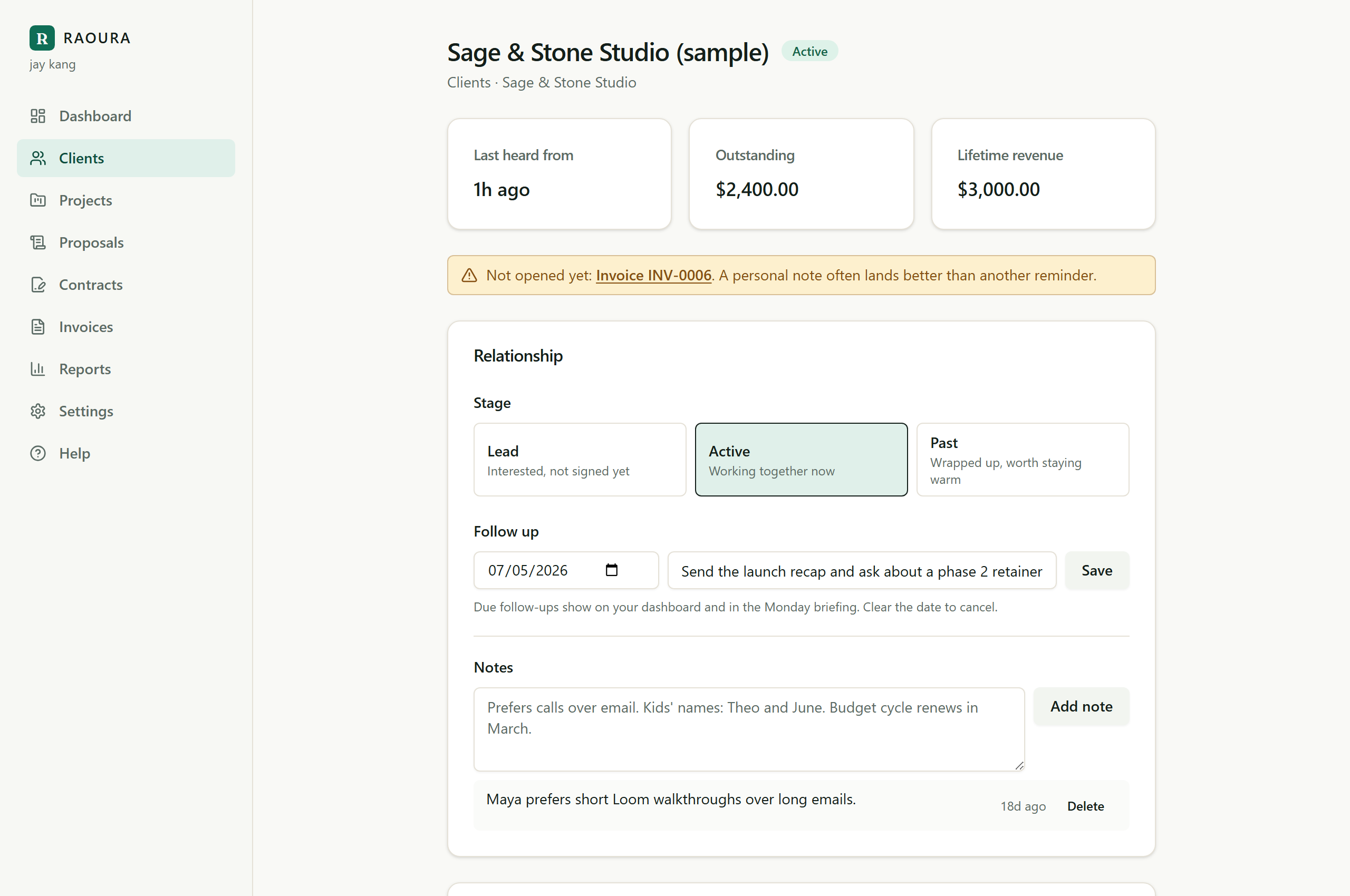
Every client page has a Relationship section: a stage, timestamped notes, and an optional follow-up date. Together they are a light CRM that runs itself off the work you already do in Raoura.
Stages#
A client is in one of three stages:
- Lead: interested, but nothing signed yet. Inquiries from your form land here automatically.
- Active: working together now. New clients start here.
- Past: wrapped up, worth staying warm.
Change the stage anytime with one click on the client page. The Clients list shows each client's stage and lets you filter by it, so "who are my leads right now" is one tap.
Notes#
Notes are for the things that never fit a form: how they like to communicate, what they said on the last call, when their budget renews. Each note is timestamped, and you can delete one whenever it stops being true.
Follow-ups#
Set a date and a short note ("Ask about phase 2") and forget about it. When the date arrives, the follow-up appears on your dashboard and in your Monday briefing email. Clear the date to cancel it.
The signals above#
The cards at the top of the client page are computed from real activity, so you do not have to wonder:
- Last heard from: the most recent time this client viewed a document, paid, or commented.
- Outstanding: what they currently owe across sent and overdue invoices.
- Lifetime revenue: everything they have ever paid you.
If you sent something and the client has not opened it yet, the page tells you that too, so you know when a personal note will land better than another reminder.
Related
Ready to try it yourself?
Raoura is one flat plan at $17/month, with a 14-day free trial and no credit card required.
Start free trial