The AI assistant on projects
Check client messages against your agreed scope, draft replies in your voice, and turn scope creep into a paid change order.
Every project's Messages thread includes an Assistant with two buttons. Each produces an editable draft, costs one AI credit, and never sends anything without you.
Check a message against scope#
When a client asks for something and you're not sure it's covered, click Check latest message against scope. The assistant compares their request to your project's milestones and tells you plainly whether it looks like new work.
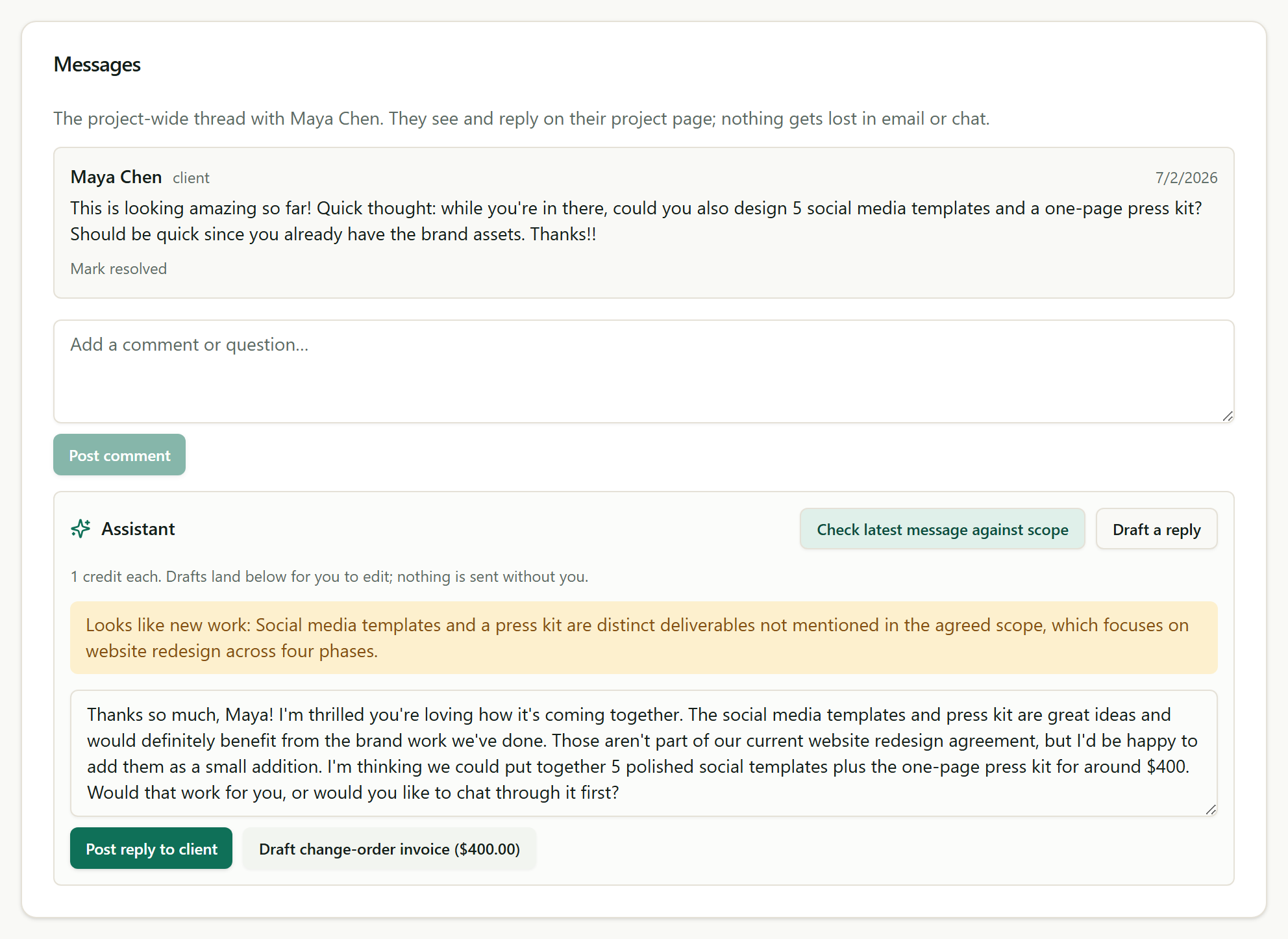
If it is new work, you also get a drafted reply that appreciates the idea, explains it sits outside the current agreement, and proposes a price, plus a one-click button that turns that price into a draft change-order invoice. Edit the words, adjust the number, then post and send when you're happy.
Draft a reply#
For any message you're stuck on, Draft a reply writes the next response using the whole thread as context, in the tone you chose for reminders (friendly or firm). It lands in an editable box; post it when it sounds like you.
Credits#
Each draft costs one AI credit. Your plan includes a monthly allowance, and you can buy more in Settings, under Plan.
Related
Ready to try it yourself?
Raoura is one flat plan at $17/month, with a 14-day free trial and no credit card required.
Start free trial